Dry Running a Design
Categories:
A dry run in Meshery simulates the deployment of your design in the selected target environment without making any actual changes. This step is highly beneficial as it helps identify potential issues before they occur, ensuring a smoother and more reliable deployment process.
Performing Dry Run 🔗
Navigate to the Actions button at the top of the Design canvas.
Click on the Dry Run icon.
Review the results to identify any potential issues.
Make necessary adjustments to your configuration based on the feedback provided by the dry run.
Re-run the dry run to ensure all issues have been resolved.
Dry Run Errors 🔗
Invalid Field Value 🔗
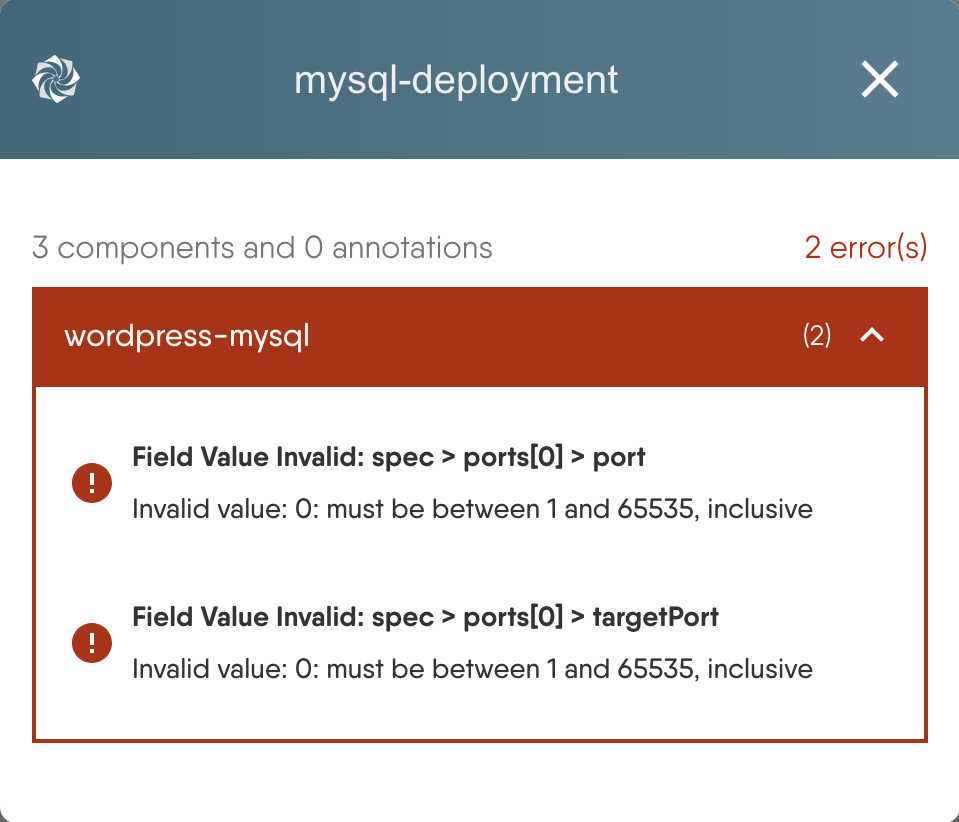
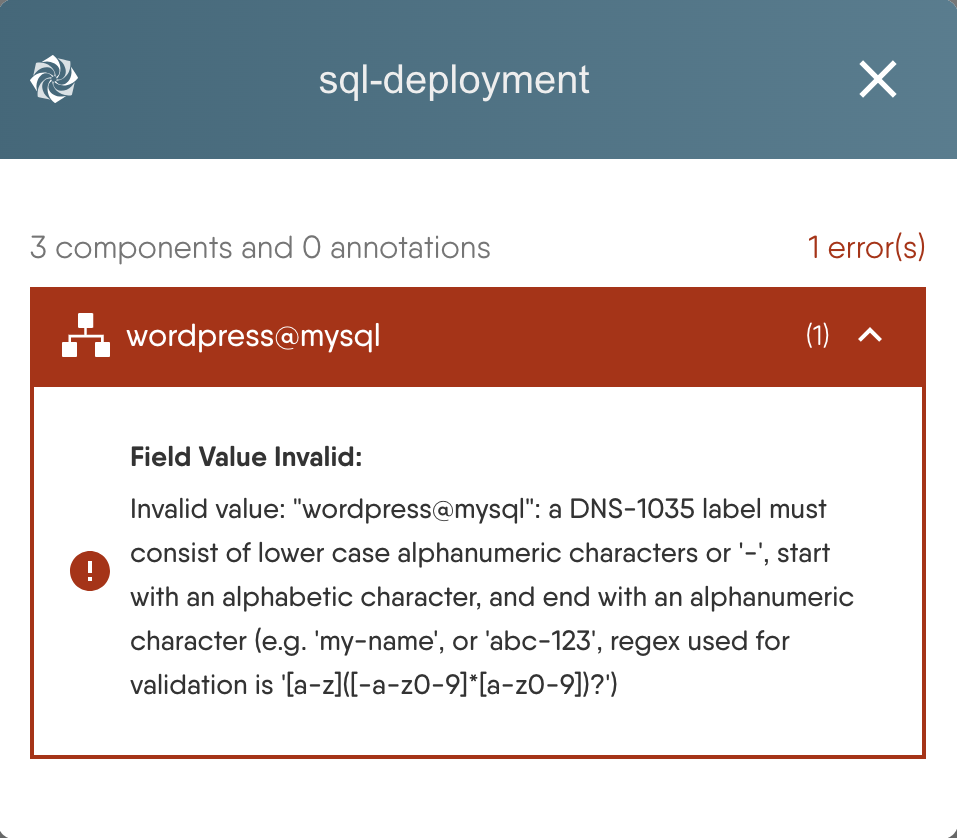
This error indicates that a field has an invalid value. For example, when configuring a Kubernetes Service, the fields spec.ports[0].port and spec.ports[0].targetPort may have invalid values of 0. These values must be between 1 and 65535, inclusive.
Missing Required Field 🔗
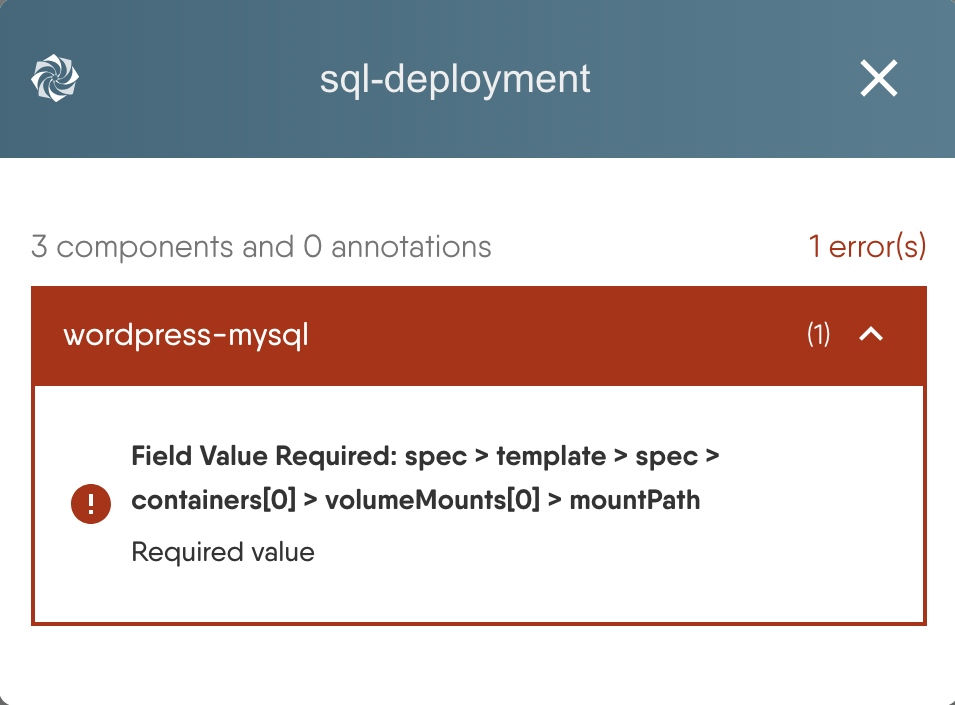
This error occurs when a required field in the configuration has not been provided. Ensure all required fields are properly configured before running the dry run.
Missing Dependencies 🔗
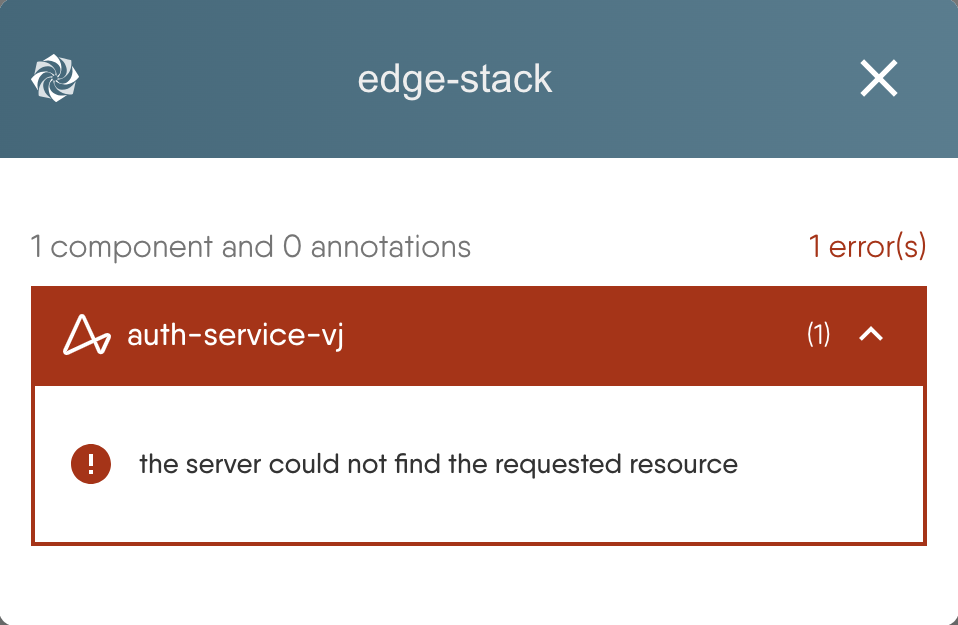
This error occurs because a Kubernetes Custom Resource Definition (CRD) should have been deployed first before attempting to deploy a component that relies on it.
To resolve this, ensure that all necessary dependencies, such as CRDs, are deployed before deploying the components that rely on them.


Recent Discussions on Kanvas
- Jul 12 | Unleash Visual Power: Import Your Configs by zihan kuang
- Oct 14 | Explore Meshery's Published Relationship Design Examples by Awani Alero
- Oct 03 | Design Review RFC: Kanvas Empty State Enhancement by Lee Calcote
- Jul 19 | [For Discussion] Visual indication of semantically vs non-semantically meaningful Meshery components by Lee Calcote
- Jun 07 | What are the conditions for a "System is unhealthy" warning? by James
- May 30 | Looking for a meshmate to help with first PR by Faisal Imtiyaz123
- Feb 28 | For Discussion: Capturing potential, but unrealized Relationships in Design Snapshots by Lee Calcote
- Feb 12 | Hint on Scaling & Verifying Cronjob in Playground by Sandra Ashipala